AI-generated pictures are becoming harder to recognize. A few years ago, an extra finger, distorted face, or unreadable sign could reveal an artificial image almost instantly. Modern image generators are much better at those details.
So, how to tell if an image is AI generated in 2026?
The best approach is not to depend on one giveaway. Check the image itself, investigate its source, look for provenance information, and use technical tools when necessary. No single method works for every image.
For more practical technology explainers, visit Media Submit’s Technology section.
Quick Answer: How Can You Tell If an Image Is AI Generated?
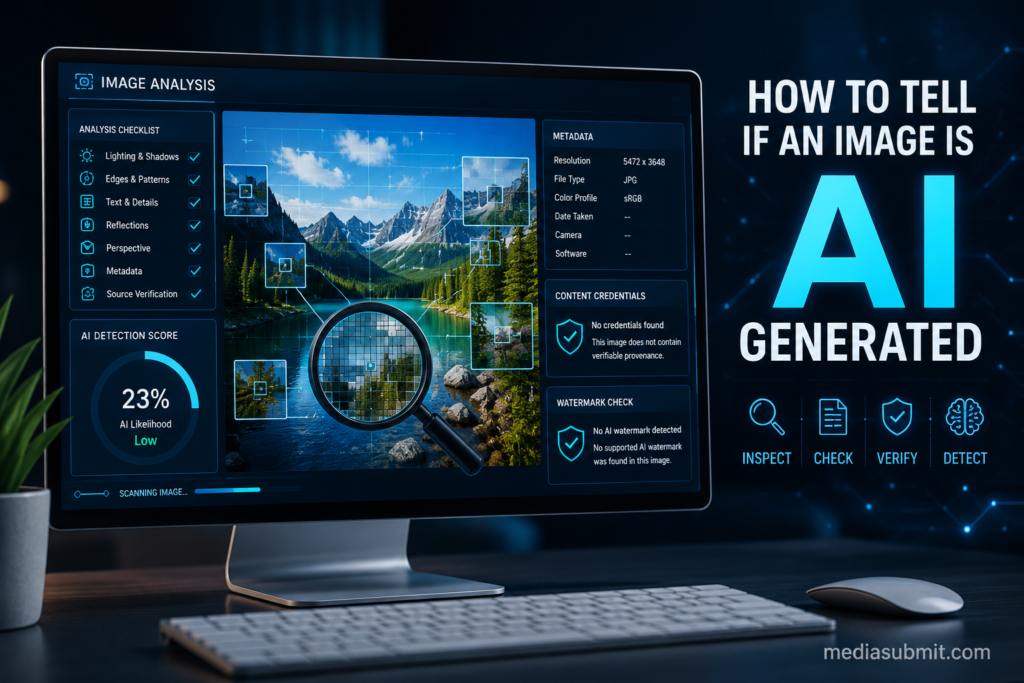
Start by checking for unnatural details such as inconsistent text, reflections, shadows, jewelry, backgrounds, or object shapes. Then investigate where the picture came from with a reverse image search. If you have the original file, inspect its metadata and Content Credentials. You can also check for supported AI watermarks or use an AI image detector as an additional signal.
Do not treat any single visual mistake or detector score as absolute proof.
Modern AI generators have improved enough that traditional signs such as strange hands are no longer reliable by themselves.
Why AI Images Are Harder to Spot in 2026
AI image generation has improved rapidly. Current systems can produce realistic lighting, readable text, convincing skin, detailed environments, and much better anatomy than earlier models.
This means the old method of simply counting fingers is no longer enough.
An AI image might contain five perfectly normal fingers. A genuine photograph might also contain strange-looking hands because of motion blur, compression, perspective, or editing.
The goal should therefore be verification, not guessing.
A useful way to think about an image is to ask three questions:
Is anything visually inconsistent?
Can I verify where the image came from?
Does the file contain trustworthy evidence about how it was created?
Combining those questions gives you a much stronger conclusion than relying on appearance alone.
1. Check the Source Before Studying the Pixels
Before zooming into tiny details, ask where the image came from.
A photograph published by an established organization with a clear photographer credit, original story, date, and context provides more evidence than an anonymous image circulating through a social media account.
Look for the earliest known upload. Check whether reputable sources have published the same scene. Read the caption instead of judging the picture alone.
Context matters because even a genuine photograph can be shared with a false description.
An authentic image from 2022, for example, could be reposted in 2026 and falsely described as showing a current event. AI detection would not uncover that problem because the image itself may be completely real.
2. Zoom In on Details That Should Follow Real-World Logic
Visual inspection still has value. It simply should not be treated as proof.
Zoom into areas where many objects interact.
Look at furniture edges, window frames, cables, buttons, handles, wheels, books, signs, architecture, and background objects.
AI-generated images sometimes create objects that look reasonable from a distance but stop making physical sense when examined closely.
A chair leg might merge with the floor. A railing may disappear halfway through the scene. A background object could change shape unexpectedly.
Instead of searching only for strange faces, inspect whether the entire scene follows consistent physical logic.
3. Inspect Text, Hands, Accessories, and Repeating Patterns
Text remains worth checking, especially small writing in the background.
Look at road signs, packaging, book covers, menus, shirts, logos, clocks, and storefronts. Strange spelling, broken characters, or text that changes style within the same word can be suspicious.
Hands can still contain errors too, but treat them as supporting evidence rather than your main test.
Accessories deserve similar attention. Glasses, necklaces, earrings, watch straps, shoelaces, and bag handles may connect incorrectly or disappear into nearby objects.
Repeating patterns are another useful area to examine. Bricks, tiles, fences, wallpaper, fabric, and windows should normally follow a logical structure.
One mistake does not prove AI generation. Several unrelated inconsistencies are more meaningful.
4. Compare Shadows, Reflections, and Perspective
Ask where the light is coming from.
Objects illuminated by the same light source should generally produce compatible highlights and shadows. An unexplained shadow moving in the opposite direction can be suspicious.
Mirrors and reflective surfaces deserve extra attention.
Does a mirror contain the objects that should appear inside it?
Does a shiny object reflect the surrounding environment logically?
Also examine perspective. Parallel structures, room geometry, roads, tables, buildings, and windows should fit together in believable three-dimensional space.
Again, unusual lighting or perspective can happen in genuine photography. Treat these as clues, not a verdict.
5. Run a Reverse Image Search
A reverse image search is one of the most useful checks because it moves the investigation beyond the pixels.
Tools such as Google Lens can help you find other versions of the image, earlier appearances, related pages, or similar scenes.
Suppose someone claims a picture shows an event that happened today, but reverse search finds the same image on a website from three years ago. You now know the current claim is misleading, regardless of whether AI was involved.
However, finding no previous match does not prove an image is AI generated. A new or privately taken photograph may simply never have appeared online before.
6. Inspect the Image Metadata
If you have the original file, inspect its metadata.
Metadata can sometimes include information such as the device, software, creation date, dimensions, or editing application associated with an image.
A normal camera model may support the possibility that an image began as a photograph. A generator or editing application listed in the metadata could provide another clue about its origin.
But metadata has an important limitation.
It can be removed, altered, or lost when an image is downloaded, edited, compressed, screenshotted, or uploaded to certain platforms.
Therefore:
Missing metadata does not mean AI.
Camera metadata does not automatically prove the scene is genuine.
Metadata should be considered one piece of evidence.
7. Look for Content Credentials
Content Credentials provide a more structured approach to digital provenance.
The C2PA standard allows information about the origin and editing history of digital content to be cryptographically associated with a file. This can help users evaluate how a piece of content was created or modified. However, C2PA itself explains that provenance information does not automatically prove that what an image depicts is factually true.
Think of Content Credentials as a record of the content’s history, not a universal truth detector.
They can provide particularly valuable evidence when the credentials are present, intact, and issued by a source you trust.
8. Check for AI Watermarks Such as SynthID
Some AI providers use invisible watermarking technology.
Google DeepMind’s SynthID embeds an imperceptible watermark into supported AI-generated content. Google says users can upload supported content to Gemini and ask whether a SynthID watermark is detected. The watermark is designed to remain detectable after several common modifications, including cropping and lossy compression.
You can read more from Google DeepMind’s official SynthID overview.
This is stronger evidence when a watermark is detected, but the opposite conclusion needs caution.
If no supported watermark is found, that does not prove the image is real. The picture could have been created by a system that does not use that watermark.
9. Use AI Image Detectors as Supporting Evidence
AI image detectors analyze patterns that may indicate synthetic generation and typically return a label or probability score.
They can be useful, especially when combined with other checks.
They should not be treated as unquestionable judges.
Different detectors may produce different conclusions for the same image. Compression, editing, screenshots, unfamiliar generation models, and partial AI editing can make the problem harder.
If a detector reports that an image is likely AI generated, ask what other evidence supports that conclusion.
A detector result becomes more useful when it agrees with provenance information, source investigation, or multiple independent clues.
MediaSubmit also covers broader uses of artificial intelligence and digital technology in Lillienu: Key Features Driving Business Success.
Which AI Image Detection Methods Are Most Reliable?
| Method | What It Can Tell You | Reliability |
|---|---|---|
| Visual inspection | Reveals suspicious inconsistencies | Supporting clue |
| Reverse image search | Finds previous appearances and context | Very useful |
| Metadata | May reveal device or software information | Useful when intact |
| Content Credentials | Provides verifiable provenance information | Strong when available |
| Supported invisible watermark | Can identify content from participating AI systems | Strong when detected |
| AI image detector | Estimates whether visual patterns resemble AI output | Supporting evidence |
| Original source verification | Establishes context and publishing history | Very important |
The best result usually comes from combining several methods.
Common Mistakes When Checking AI Images
One common mistake is assuming perfect skin means AI. Photography editing, lighting, makeup, compression, and smartphone processing can create a highly polished appearance too.
Another mistake is assuming a strange hand proves AI generation. Motion blur or an unusual angle can make genuine anatomy look distorted.
A third mistake is treating an AI detector’s percentage as scientific proof.
Finally, do not assume that an image is trustworthy simply because it is not AI generated. Traditional photo editing, staged photographs, misleading captions, and images taken out of context existed long before generative AI.
What If You Still Cannot Tell?
Sometimes the correct answer is simply: there is not enough evidence.
That is better than confidently labeling a genuine photograph as fake or accepting a synthetic image as authentic.
If the image concerns something important, such as breaking news, a financial request, evidence, a product claim, or an urgent message, do not make a decision based on the picture alone.
Look for independent confirmation.
Frequently Asked Questions
Can you tell if an image is AI generated just by looking at it?
Sometimes, but not reliably. Visual mistakes can raise suspicion, but modern AI-generated images may contain no obvious errors. Use additional verification methods when accuracy matters.
What is the easiest way to check if a picture is AI generated?
Start with a close visual inspection, then run a reverse image search. If you have the original file, check metadata, Content Credentials, and supported watermark systems.
Do AI-generated images always have weird hands?
No. Modern generators are much better at creating realistic hands. Hand errors can still occur, but normal-looking hands do not prove an image is authentic.
Does missing metadata mean an image was made by AI?
No. Metadata can disappear during editing, downloading, sharing, screenshots, or platform processing.
Can Google detect AI-generated images?
Google’s SynthID technology can identify a SynthID watermark in supported AI-generated or edited content. It cannot serve as universal proof for every AI image produced by every system.
Are AI image detectors 100 percent accurate?
No. Detector results should be treated as evidence, not absolute proof. It is safer to combine detector results with source verification, provenance, metadata, and visual inspection.
Conclusion
Learning how to tell if an image is AI generated now requires more than searching for strange fingers or distorted faces.
Start with the source. Examine the scene for inconsistencies. Use reverse image search. Inspect metadata when available. Look for Content Credentials and supported AI watermarks. Use AI detectors as an additional signal rather than your only source of truth.
Most importantly, become comfortable with uncertainty. Sometimes an image cannot be conclusively classified from the available evidence.
As generative technology improves, verification matters more than guessing.
For more practical guides covering technology, business, home, and everyday questions, visit Media Submit